Feature · Coaching
Coaching from the runs you already have
On first launch, with your permission, RunToMax reads the runs already in Apple Health and builds a starting profile from them. Your history counts from day one; the coach does not start from zero.
The starting profile
From your recent runs RunToMax estimates a threshold pace — the pace you can hold for roughly an hour — using the last 90 days of running. Training paces (easy, marathon, threshold, interval) are derived from that anchor. When there is not enough recent running to support an estimate, the app says so rather than inventing one, and the estimate is refined as you record runs with the Watch.
A verdict after every run
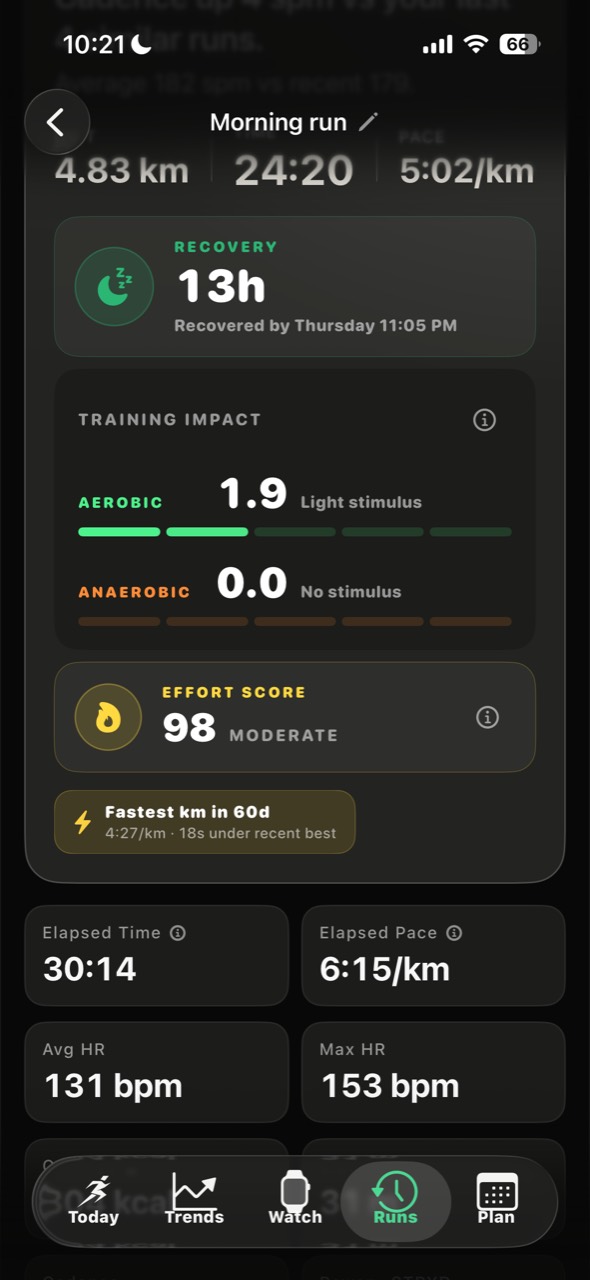
RunToMax waits for the run to be finalized in Apple Health, then classifies what kind of run it was — easy, long, tempo, intervals, race — and writes a short verdict: what the run tells you, and what to do next. The findings are aware of the run type and your heart rate, so a cool-down does not read as a fade and a hot day does not read as lost fitness.
Every plan day gets a score
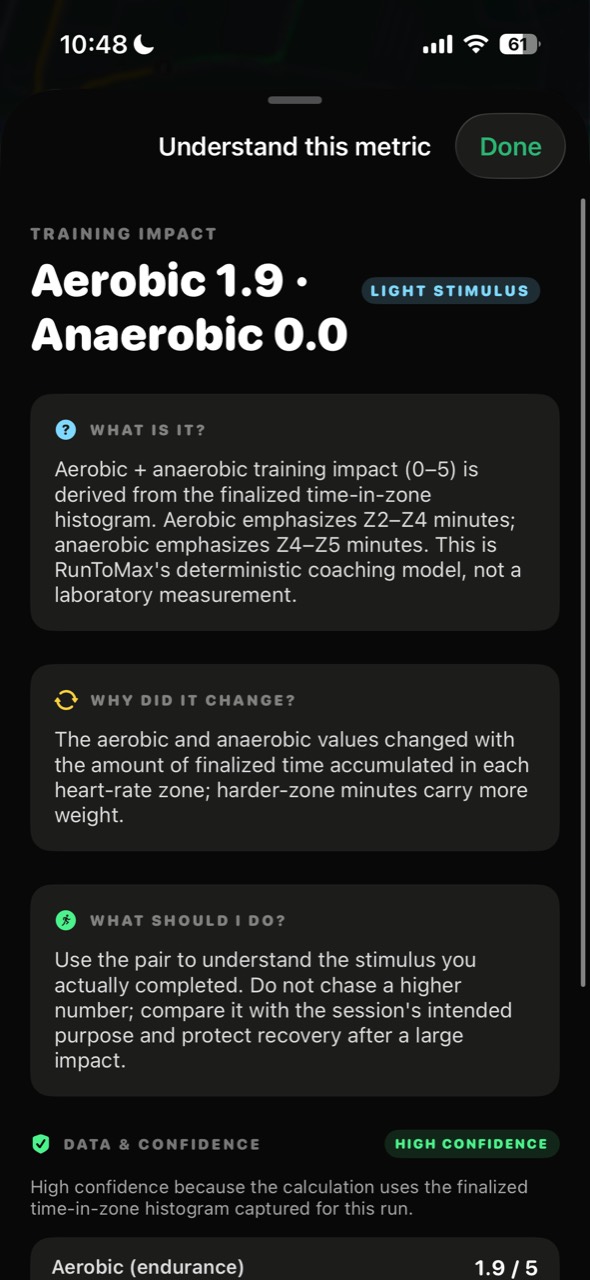
When you follow a plan, each session is scored against what was asked: pace, duration, structure. The score is the unit of comparison across the plan, so “how did this week go” has a number behind it and the number has an explanation behind it.
Readiness and heat
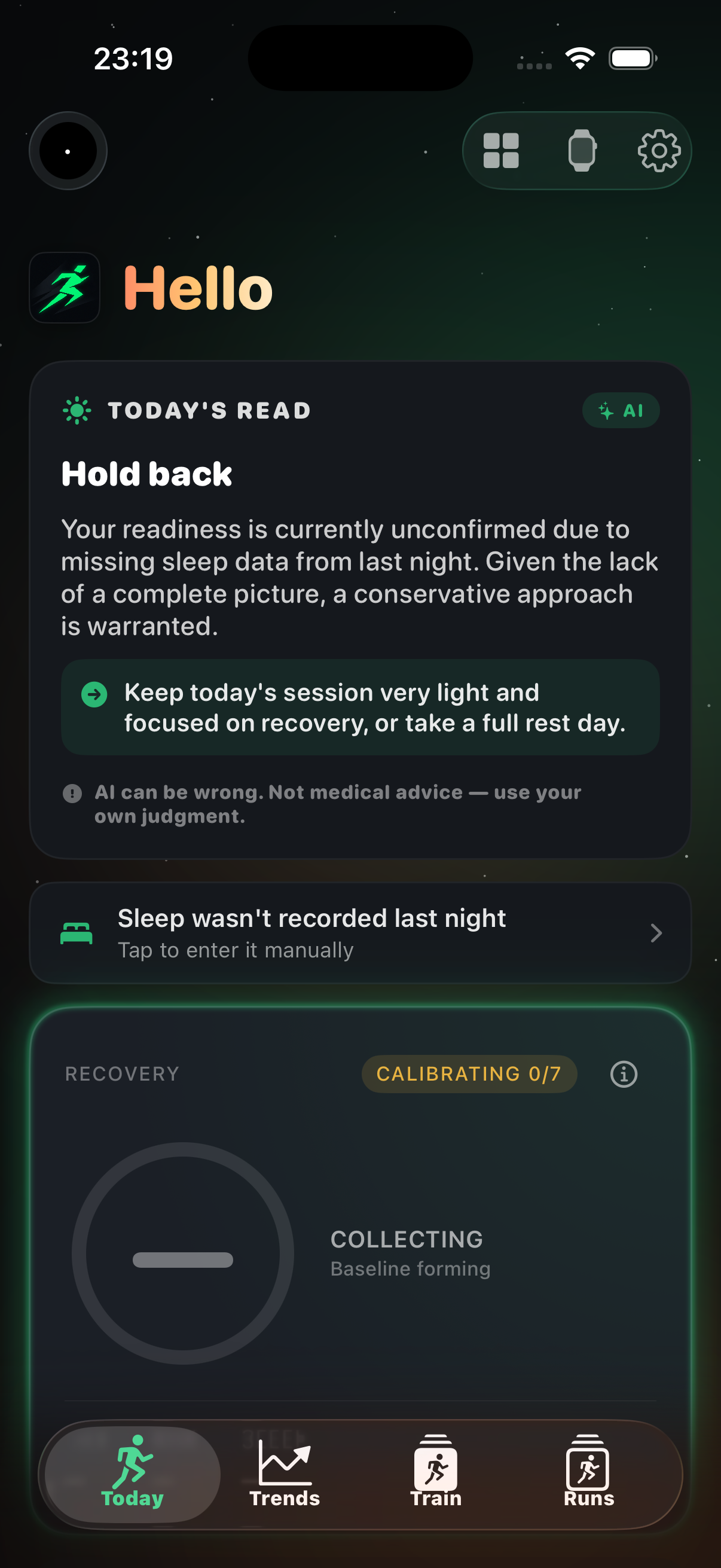
- Readiness combines heart-rate variability, sleep and recent training load from Apple Health into one read for the day.
- Heat-adjusted targets: pace targets are adjusted for temperature and humidity at your location using Apple Weather, so a target set in April is not enforced in July.
What runs on the device, and what does not
Everything above — the profile, threshold and training paces, run classification, the verdict, plan scores, readiness and heat adjustment — is computed on your iPhone, with no account and no RunToMax server involved.
The one optional cloud feature is the written coach notes: longer explanations generated by a language model through a RunToMax proxy. It is off until you turn it on, it receives a minimized summary rather than your raw data, and turning it off removes nothing else. With cloud coaching disabled, the app is complete; the notes are simply shorter.
Where your data lives
Your runs, routes and heart rate live in Apple Health on your device. RunToMax keeps no cloud copy of your training history and has no email/password account. Runs can be exported as FIT files. Details are in the privacy policy.
Checked against the app on