Feature · Apple Watch
Run tracking on Apple Watch
RunToMax records on the Watch, not on the phone. The screens are yours to design, structured sessions run on the wrist with a haptic cue at every transition, and the iPhone can stay at home.
What it needs
- An Apple Watch running watchOS 10 or later — Series 4 and newer, every Apple Watch SE, every Apple Watch Ultra.
- An iPhone running iOS 17 or later, for setup, analysis and plans.
- No cellular plan and no phone on the run: GPS, heart rate and motion come from the Watch itself.
- Recording requires the Apple Watch. Runs recorded by other watches can be read from Apple Health, but with basic data only (see the FAQ).
Screens you design
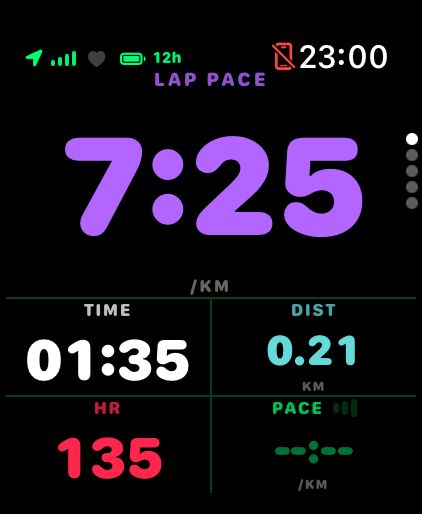
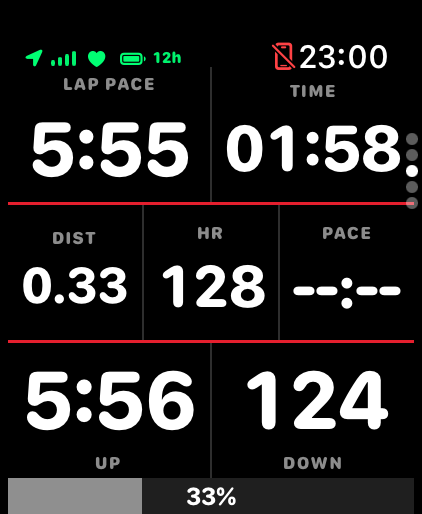
Every run screen is a grid of fields you choose: pace, lap pace, heart rate, zone, distance, elapsed time, cadence, power if you run with a pod, and more. Layout presets cover easy runs, intervals and races, and you can save your own. A dedicated pace-grid screen shows the session target and your current pace side by side so a glance answers the only question that matters mid-rep.
Structured sessions on the wrist
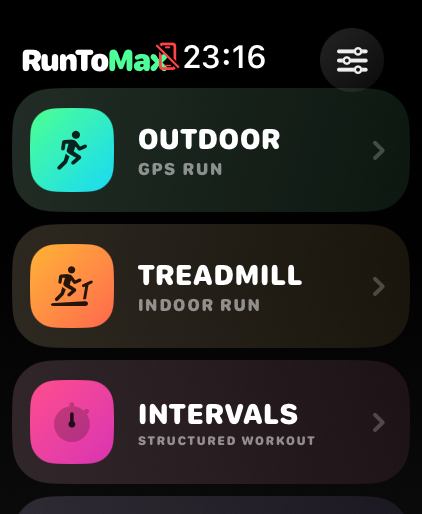
Warm-up, reps, recoveries and cool-down run as steps. The Watch vibrates at each transition and shows the target band for the current step, so you do not need to read the screen to know a rep has started. Sessions come from your RunToMax plan, from a workout you paste as text on the iPhone, or from the Watch’s own presets.
Laps and splits, live
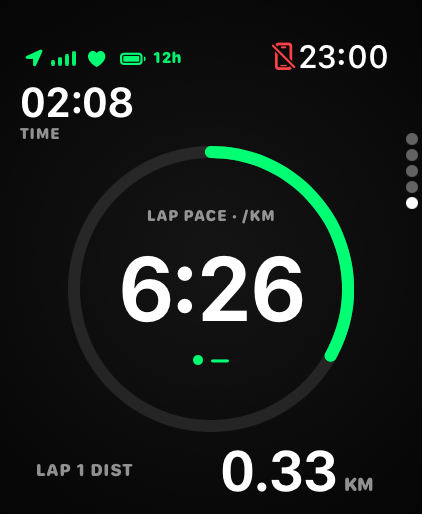
Each kilometre (or mile) posts a lap receipt as it closes, and the splits screen keeps the run’s history in view. Lap pace is a single source on the Watch, so the number you see mid-run is the number the summary shows afterwards.
What the Watch records
- Distance and route from the Watch GPS, using Apple’s workout distance engine. How this compares with a Garmin is documented on the accuracy page.
- Heart rate from the Watch’s optical sensor, cadence from the Watch’s motion sensors, elevation from the barometer.
- Optional running power and pod distance from a Stryd pod, when paired.
- Every run is written to Apple Health as a normal workout. Nothing is locked inside RunToMax.
After the run
The Watch hands the finished run to the iPhone, where RunToMax classifies it, writes a plain-language verdict and scores it against what the plan asked for. That side of the app is described in coaching from Apple Health.
Checked against the app on